Use the BNZ home loan calculator to estimate repayments, compare BNZ home loan rates, and make smarter borrowing decisions. Full NZ guide with tips and FAQs.

BNZ Home Loan Calculator: Your Complete NZ Guide

Planning to buy your first home, move up the property ladder or refinance in New Zealand? A BNZ home loan calculator is a free, no-obligation way to estimate what your repayments might look like before you ever speak to a lender — and a smart first step in working out what you can comfortably afford.
This guide explains how BNZ’s online calculators work, how the bank’s different loan types are structured (including its TotalMoney offset mortgage), the lending rules that shape how much you can borrow in 2026, and the practical steps to take once your numbers start to feel real. It is general information, not financial advice.
How the BNZ home loan calculator works
BNZ (Bank of New Zealand) offers several free online tools, not just one. Alongside the core repayment calculator there are borrowing-power (affordability), extra-repayment and offset calculators, and each answers a slightly different question. Used together they give a far fuller picture than any single estimate.
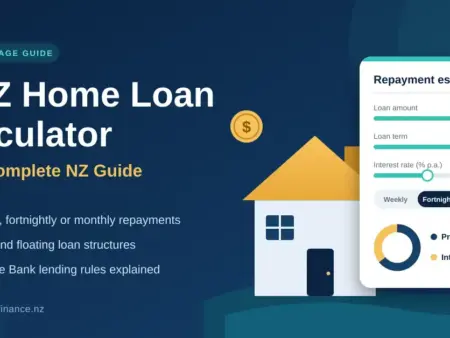
The core repayment calculator asks for a handful of figures and returns an estimated weekly, fortnightly or monthly repayment, plus the total interest you would pay over the life of the loan. The main inputs are:
- Loan amount — usually the purchase price minus your deposit.
- Interest rate — you type one in, or use a BNZ advertised rate as a guide.
- Loan term — most home loans run 25 to 30 years.
- Repayment frequency — weekly, fortnightly or monthly.
- Repayment type — principal-and-interest steadily reduces your balance, while interest-only does not.
That total-interest figure is the one that tends to surprise people. On a $700,000 loan over 30 years, the interest bill alone can exceed the amount you originally borrowed — which is exactly why small changes to your rate, term or repayment habits matter so much. It is worth running the same numbers through BNZ’s tool and a second calculator, such as our ANZ home loan calculator guide, so you are not relying on a single estimate.
The borrowing-power (affordability) calculator works the other way round. Instead of asking how much a loan costs, it estimates how much you might be able to borrow based on your income, deposit and regular expenses. Treat its answer as a ceiling rather than a target — the amount a bank will lend and the amount you can comfortably repay through a few interest-rate rises are rarely the same number. The extra-repayment calculator then shows how paying a little more each week, or a one-off lump sum, shortens your loan and cuts total interest, while the offset calculator estimates what linking savings to a TotalMoney loan could save.
Key Points
Six ways to pay less over the life of a home loan — model each one in the calculator to see the difference:
- Pay fortnightly, not monthly. Twenty-six half-payments a year equal 13 monthly payments — one extra a year, which can shave years off a mortgage.
- Round your repayments up. Rounding a ,340 payment to ,400 sends the extra straight to principal.
- Use lump sums early. Tax refunds, bonuses or eligible KiwiSaver funds have the biggest impact in a loan’s early years.
- Review your rate at every rollover. Don’t auto-refix; shop around or use an adviser. Switching can save thousands, and cashback offers may cover the costs.
- Consider an offset facility. If you reliably hold savings, offsetting them against a home loan reduces the interest charged without locking the money away.
- Be wary of interest-only. It keeps repayments low but your balance doesn’t reduce — a calculator shows the stark difference in total interest.
These are general strategies, not advice for your situation. Check any early-repayment or break-fee terms before making extra or lump-sum payments on a fixed loan.
BNZ home loan types explained
Choosing the right loan structure matters as much as the headline repayment figure, and BNZ offers a few distinct options. Most borrowers end up splitting their loan across more than one type — for example, part fixed for certainty and a smaller floating portion for flexibility.
Fixed rates (on BNZ’s Standard home loan) lock your interest rate for a set term, from six months to five years, so repayments stay level and budgeting is easy. The trade-off is that if rates fall you stay on your rate until the term ends, and repaying early can trigger an early repayment charge. A useful detail: on a fixed Standard loan you can make extra repayments of up to 5% of the loan balance each year without a break fee, and if you like an advertised rate BNZ can hold it for up to 60 days.
Floating rates move with the market — usually higher than short fixed terms, but with full freedom to make extra repayments or repay in full without penalty.
Rapid Repay is BNZ’s revolving-credit option: a floating facility that works like a large approved overdraft on your transaction account. It is flexible, but best suited to disciplined borrowers who will not simply spend the available headroom.
Unlike some banks, BNZ offers a genuine offset home loan called TotalMoney. It links your savings and everyday accounts to your mortgage, and their combined balances are subtracted from your loan before interest is calculated — so you only pay interest on the difference. You can connect up to 50 accounts, your repayments stay the same (more of each one goes to principal), and your money stays fully available to withdraw whenever you need it. BNZ has reported that customers using TotalMoney saved around $200 million in interest in 2024, though its own surveys suggest many borrowers still are not sure how offsets work — so it is worth modelling with the offset calculator, and reading our offset mortgage guide, before deciding.
BNZ Home Loan Types
| Loan type | How it works | Flexibility & extra repayments | Best suited to |
|---|---|---|---|
| Standard (fixed) | Rate locked for a set term, from 6 months to 5 years; repayments stay level. | Extra repayments up to 5% of the balance a year with no break fee; early repayment charge may apply beyond that. | Borrowers who want certainty and easy budgeting. |
| Standard (floating) | Rate moves with the market, usually higher than short fixed terms. | Full freedom to make extra payments or repay in full with no penalty. | Short-term borrowers, or a flexible slice alongside a fixed portion. |
| Rapid Repay | Revolving-credit facility that works like a large approved overdraft on your transaction account. | Highly flexible; interest is charged only on the balance drawn. | Disciplined borrowers who won’t spend the available headroom. |
| TotalMoney (offset) | Links savings and everyday accounts (up to 50) so their balances are subtracted before interest is charged. | Repayments stay the same; offset funds remain available to withdraw at any time. | People who reliably hold a cash balance. |
BNZ loans can be split across more than one type — for example, part fixed and part floating or offset.
BNZ home loan rates and the current lending rules
BNZ is one of New Zealand’s big four banks (it is owned by National Australia Bank), and its advertised rates are broadly competitive with ANZ, ASB and Westpac. But the rate you are actually offered depends on factors including your loan-to-value ratio, income stability and whether you package other products with your loan. For a cross-lender view, our mortgage rates guide compares how the big banks price their loans.
Advertised ‘carded’ rates are rarely the rate you will end up with. BNZ frequently has special rates for borrowers with at least 20% equity or strong financials, so it is worth asking a BNZ lending specialist what you qualify for rather than assuming the website figure applies to you. Banks also compete on cashback — a lump sum towards legal costs — but it usually comes with a clawback clause if you repay or refinance within two to three years, so weigh it against the interest rate rather than chasing it on its own.
Rates move often, largely tracking the Reserve Bank’s Official Cash Rate (OCR): when the OCR falls, fixed and floating mortgage rates generally ease over the following weeks, and when it rises they tend to climb. That is why fixing for a longer term buys certainty but can cost you if rates later drop, while a short fix or a floating portion keeps your options open at the price of less predictability.
If your deposit is under 20%, you are borrowing at a high loan-to-value ratio (LVR), and BNZ applies a Low Equity Premium — an extra charge on top of the standard rate — on lending above 80% of the property’s value. The Reserve Bank also caps how much low-deposit and high-debt lending each bank can do. Its LVR restrictions were eased on 1 December 2025 (banks can now write up to 25% of new owner-occupier lending above an 80% LVR, up from 20%), and debt-to-income (DTI) rules have applied since 1 July 2024, limiting how much can be lent to borrowers whose total debt is more than six times their income (seven times for investors). If you are refinancing rather than buying, our guide to refinancing a home loan walks through break fees and cashback clawbacks.
Using the calculator effectively
A calculator is only as good as the numbers you put into it. A few habits make the results far more useful.
Use a conservative rate. Do not plug in today’s lowest special. Because a mortgage runs for decades, stress-test your budget at a rate two to three percentage points higher. If the repayments still work, you have a buffer for when rates rise.
Budget for the full cost of owning. Beyond the repayment, allow for council rates, home and contents insurance, body corporate fees (for apartments), ongoing maintenance (a rough rule of thumb is about 1% of the property value a year), and legal and valuation costs at purchase. Stats NZ household-expenditure data can help you benchmark realistic living costs around the mortgage.
Try different terms. Dropping from 30 years to 25 lifts your repayment but cuts total interest sharply — often for a surprisingly small weekly increase.
Model extra repayments. Even $50 to $100 a week can knock years off your loan; the extra-repayment calculator shows the effect clearly.
Cross-check with other tools. Run the same scenario through our general NZ home loan calculator, and get a second opinion from Sorted’s mortgage calculator — the free, independent service run by Te Ara Ahunga Ora Retirement Commission.
Understanding your results
A calculator tells you what a repayment would be at a given rate and term — not whether you can actually afford it. BNZ, like every NZ lender, assesses affordability with a full income-and-expense analysis and applies its own serviceability buffers (testing you at a rate well above the one you will pay). This is required under the Credit Contracts and Consumer Finance Act (CCCFA) responsible-lending rules, which since 1 July 2026 have been overseen by the Financial Markets Authority (FMA).
It also helps to understand amortisation: in the early years, most of each repayment goes to interest rather than principal, and the split only tips towards principal as the balance shrinks. That is exactly why extra repayments early in a loan have such an outsized effect, and why the total-interest figure — often well over $400,000 on a large 30-year loan — is such a powerful motivator to borrow less or repay faster. For independent comparisons of lenders and products, Consumer NZ is a useful, non-commercial second source.
Watch for a few common mistakes when reading your results. Do not confuse the repayment estimate with a pre-approval — the calculator does not see your actual spending, debts or account conduct. Do not assume the lowest advertised rate is yours, and remember the figure ignores one-off costs such as the Low Equity Premium, lender and valuation fees, and legal expenses. Finally, a weekly repayment can look deceptively affordable until you add insurance, rates and maintenance on top — so always test the total monthly outgoing, not just the mortgage line.
Steps to take after using the calculator
- Check your credit report. You are entitled to a free copy from bureaus such as Equifax or Centrix; fix any errors before you apply.
- Get pre-approval. BNZ pre-approval (conditional approval) gives a realistic borrowing limit and strengthens your offers, though it is not a final guarantee.
- Compare across lenders. Do not assume your own bank is cheapest. A mortgage adviser can compare several lenders at no cost to you.
- Get independent advice. An adviser can structure your loan around your wider goals, not just the lowest repayment today.
- Review your KiwiSaver. First-home buyers who have been members for at least three years may be able to withdraw most of their KiwiSaver balance for a deposit — see our first home buyer guide. Note the First Home Grant was scrapped on 22 May 2024, so it is no longer part of the deposit picture; the Kāinga Ora First Home Loan (from a 5% deposit) remains.
Your next steps
Start with a realistic loan amount and a conservative rate, then experiment with terms and repayment frequencies to see how small changes compound over time. When your numbers feel solid, talk to a BNZ home loan specialist or an independent adviser — the best mortgage is not simply the lowest rate today, it is the structure that fits your life over the long haul.
Important disclaimer
This article is general information about the BNZ home loan calculator and New Zealand mortgage lending. It is not financial advice and not a recommendation to take any particular loan or product. Rates, fees, lending rules and eligibility change frequently — always confirm current details with BNZ and do your own research, and consider advice from a licensed financial adviser before deciding. For free, independent guidance see Sorted (sorted.org.nz); for lending rules see the Reserve Bank (rbnz.govt.nz).
Sources
- BNZ — Home loan types (Standard, Rapid Repay, TotalMoney)
- BNZ — TotalMoney offset home loan
- Reserve Bank of NZ — loan-to-value ratio (LVR) restrictions
- Reserve Bank of NZ — debt-to-income (DTI) explainer
- Sorted (Te Ara Ahunga Ora Retirement Commission) — mortgage calculator
- Financial Markets Authority — responsible lending and the CCCFA
- Consumer NZ — lending and mortgage comparisons
- Stats NZ — household expenditure (living-cost benchmarks)
Frequently asked questions
Does the BNZ home loan calculator use live interest rates?
It uses the rate you enter — you can type one in or use a BNZ advertised rate as a guide. For a realistic estimate, run a second scenario at a rate two to three percentage points higher to stress-test your budget against future rate rises.
What is BNZ TotalMoney?
TotalMoney is BNZ’s offset home loan. It links your savings and everyday accounts (up to 50 of them) to your mortgage, so their balances are subtracted from your loan before interest is calculated. You only pay interest on the difference, your repayments stay the same, and your money remains available to withdraw.
What happens if my deposit is under 20%?
You are borrowing at a high LVR, and BNZ applies a Low Equity Premium — an extra interest charge — on lending above 80% of the property’s value. Low-deposit lending is also limited by the Reserve Bank’s LVR restrictions, which banks must keep within.
Can I make extra repayments on a BNZ fixed loan without a fee?
Yes, within limits. On a fixed Standard home loan you can repay up to an extra 5% of the loan balance each year without triggering a break fee. Larger early repayments on a fixed rate can incur an early repayment charge, so check the terms first.
Is a calculator result the same as loan approval?
No. The calculator is indicative only. Your actual borrowing capacity depends on BNZ’s full credit assessment of your income, expenses, existing debts and the property, including serviceability buffers required under responsible-lending rules.

No comments to show.
Best Brokers

Get approved fast with Finance Now. Personal loans, car finance & retail purchases – made easy for everyday Kiwis.

Shop now, pay later with Farmers Finance. Flexible payment options at Farmers stores across NZ – online and in-store.