A thorough NZ review of Skinny Broadband’s fibre, fixed wireless, and satellite plans for 2026. Compare pricing, speeds, customer service, and rivals to decide if Skinny is right for you.

Skinny Broadband NZ: Plans, Speeds and How It Compares

When New Zealanders shop around for home internet, Skinny’s name comes up fast. Owned by Spark New Zealand, Skinny is the no-frills, low-cost brand that runs on the same fibre network as its full-price siblings. This guide explains how Skinny works, its plan tiers, what the real trade-offs are, and how it sits against the alternatives. It is general information, not a recommendation.
Who Skinny is
Skinny is the budget arm of Spark New Zealand. The single most important thing to understand is that Skinny is a retail service provider on top of wholesale fibre, so its physical connection is identical to Spark, One NZ, 2degrees or any other provider on the same network. It runs primarily on Chorus, plus Enable Networks (Christchurch), Tuatahi First Fibre (formerly Ultrafast Fibre, covering the Waikato, Bay of Plenty and Taranaki) and Northpower in Whangārei. Because the pipe is the same, the differences that actually matter between providers are price, the backhaul capacity they buy (which affects peak-hour performance), equipment and support.
Key facts
| Provider | Skinny (budget brand of Spark New Zealand) |
| Network | Wholesale fibre — Chorus, plus Enable, Tuatahi First Fibre and Northpower; 4G wireless on Spark’s network |
| Connection types | Fibre (entry ~300/100 Mbps and Fibre Max ~900/500 Mbps) and Wireless 4G Broadband |
| Data | Unlimited on standard plans (Fair Use Policy on unlimited wireless) |
| Contract | Open month-to-month (no lock-in) or 12-month term |
| Modem | Free on a 12-month term; about $199 on an open term; BYO router saves ~$5/month |
| Support | Online-first — app, chat and self-service, with limited phone support |
| Official site | skinny.co.nz |
Details change often — confirm current plans and pricing at skinny.co.nz.
New Zealand’s broadband landscape
The government-backed Ultra-Fast Broadband rollout, completed in late 2022, brought fibre to about 87% of New Zealand homes. Copper (ADSL/VDSL) is being progressively retired in fibre areas under a process overseen by the Commerce Commission through its comcom.govt.nz copper-withdrawal framework, with only a small number of copper lines left and closure expected around 2030. For the remaining rural and remote households, fixed wireless and satellite fill the gap. To see whether fibre reaches your address, use the Chorus chorus.co.nz address checker or Skinny’s own checker.
Skinny’s plans
Skinny keeps things simple. It offers unlimited fibre at a couple of speed tiers plus a 4G wireless option for areas without fibre, and it sells plans on either an open (month-to-month, no lock-in) term or a 12-month term.
- Entry fibre (around 300/100 Mbps): Skinny’s most popular tier and consistently one of the cheapest no-contract fibre plans in the country. As a guide it sits in roughly the mid-$50s to mid-$60s a month after the July 2026 price rise, but treat any figure as indicative.
- Fibre Max (roughly 900/500 Mbps): a faster tier for larger or heavier-use households, at a higher monthly price.
- Wireless 4G Broadband: a plug-in modem for homes without fibre (covered below).
The modem is the detail most people get wrong. On a 12-month term the modem and standard install are free; on an open (month-to-month) term a Skinny modem costs about $199 plus a small shipping fee, and you can save around $5 a month by bringing your own compatible router. So a plan can be lock-in-free or modem-included, but not usually both at once — factor that into a true cost comparison.
On price, Skinny’s entry fibre is regularly among the cheapest no-contract options in New Zealand and is often meaningfully cheaper than a full-price provider on the identical connection — though the market has converged and 2026 saw several rounds of price rises, so the gap is smaller than it once was. Confirm the current rate at skinny.co.nz. Where broadband sits in your overall spending is easy to see with a household budget — pair it with your take-home pay to keep fixed costs in proportion, and a full budget planner helps you weigh it against power, mobile and other bills.
Day-to-day performance
Because Skinny rides world-class fibre infrastructure, the raw capability is excellent; the variable is how much backhaul (the capacity a provider buys to carry its customers’ traffic) Skinny purchases, which determines whether evening peak hours — roughly 7–10pm on weeknights — stay smooth. In practice its fibre is solid for a budget provider: entry-plan users typically see speeds in the mid-hundreds of Mbps off-peak, with some compression at peak that most households will not notice unless they are running several 4K streams at once. Latency to New Zealand servers is usually under 10 milliseconds.
The honest caveat: if your income depends on rock-solid, consistent speeds at all hours, a provider that invests more heavily in backhaul may be worth a little extra. For everyone else, Skinny’s fibre is good value.
Fixed wireless (no fibre at your address)
Skinny’s product for homes beyond fibre is Wireless 4G Broadband. It uses Spark’s 4G mobile network through a plug-in modem — no technician and no external antenna — so you are online within minutes of plugging it in. Skinny publishes a peak-time average around 64 Mbps, which is enough for HD streaming, browsing and video calls, though real speeds vary with local coverage and congestion and a Fair Use Policy applies to the unlimited plan. Where a wireless signal is weak, speeds and consistency fall away. If fibre is available at your address it is almost always the better long-term choice, so check the address checker first.
The support trade-off
This is where budget brands typically cut costs, and Skinny is no exception: support is online-first — an app, online chat and a self-service knowledge base, with limited phone support. For everyday needs (rebooting the router, changing a plan, querying a bill) that is fine. Where it can frustrate is complex faults that need escalation to the network operator, where the back-and-forth can test your patience. If you are comfortable following a troubleshooting guide it is a reasonable trade-off for the savings; if you value responsive, hands-on support, a premium provider may suit you better.
Equipment and setup
Skinny’s supplied modem/router is fine for apartments and smaller homes but may leave dead spots in larger or multi-storey properties. You can improve coverage with Skinny’s own mesh extenders, a third-party mesh system (such as TP-Link Deco, Eero or Ubiquiti) in bridge mode, or by bringing your own router if you are comfortable configuring it. Setup is self-install for most connections — the hardware is couriered with instructions and most people are online within an hour — and switching from another fibre provider is smoother still, since the fibre line is already active.
Satellite alternatives
Satellite broadband has moved from last resort to genuinely useful for rural New Zealand, largely thanks to SpaceX’s Starlink low-earth-orbit network, which delivers far lower latency than the old geostationary services. For properties beyond fibre and mobile coverage it can be transformative — but it costs considerably more than fixed wireless: as a guide the residential service is around $170 a month plus a one-off hardware kit of roughly $799 (free-hardware promotions appear for some rural addresses). If you can get a reliable Skinny 4G wireless signal it is usually much cheaper; Starlink earns its keep where mobile coverage is genuinely absent. For urban and suburban homes satellite is essentially irrelevant — fibre is faster, cheaper and more consistent.
How Skinny compares
Skinny sits at the budget end of a crowded market that also includes 2degrees, Spark, One NZ, Contact, Orcon and Nova, among others. Broadly: Skinny and other budget brands are cheapest and run digital-first support; mid-range providers add retail presence, bundles or perks; and premium providers charge more for stronger support, extras or business-grade service. Because the underlying connection is identical across providers on the same network, price and support are the main differentiators for most urban customers, so it is worth comparing a couple of options on total cost and the support model you want.
Comparison
Indicative positioning of Skinny against other New Zealand providers on the same wholesale fibre. Entry-fibre prices are approximate as at September 2026 and change frequently — always confirm on each provider’s site.
| Provider | Positioning | Entry fibre (indicative) | Support model |
|---|---|---|---|
| Skinny (this guide) | Budget, no-frills | ~$55–$65/mo | Online-first |
| 2degrees | Value with mobile bundles | ~$75/mo | Phone and online |
| Spark | Premium, feature-rich | ~$90/mo (unlimited) | Full phone and retail |
| One NZ | Mainstream, bundles | ~$65/mo (Starter) | Phone and online |
| Contact | Power + broadband bundles | ~$70/mo (12-mo term) | Phone and online |
| Orcon | Mid-range, tech-focused | ~$70/mo | Online and phone |
| Nova | Energy + broadband bundles | ~$70/mo | Phone and online |
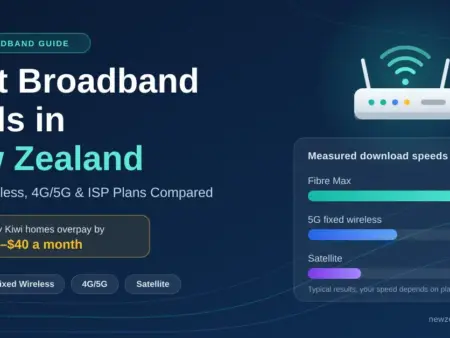
For a marketing-free view, Consumer NZ’s independent broadband comparisons at consumer.org.nz are a useful starting point, and our own guide to the best broadband deals in NZ rounds up current options.
Bundling with Skinny Mobile
One practical advantage is managing broadband and mobile under one account. Skinny offers a bundle discount when you combine a broadband plan with one or more Skinny mobile plans, which can add up for households already on Skinny mobile. If you are weighing that up, compare it against standalone mobile plans rather than assuming the bundle always wins.
The bottom line
Skinny delivers reliable fibre at a price that is hard to argue with, on the same network as far pricier providers. For most households — renters, families, flatmates and budget-focused homeowners — the entry fibre plan covers modern connected life without the premium. The trade-offs are real but manageable: online-first support, a modem that is only free on a 12-month term, and a basic router that may need supplementing in a larger home. Trimming a recurring bill like broadband is one of the easier wins in any money-saving plan, alongside reviewing your power company. Check current pricing at skinny.co.nz and compare a couple of alternatives before switching, and if you want to sanity-check your household budget the free sorted.org.nz budgeting tool is a good place to start.
Disclaimer: This article is general information about Skinny Broadband and home internet in New Zealand, not a recommendation of any provider or plan. Plans, prices, speeds, contract terms and support channels change frequently — the details here are indicative and should be confirmed at skinny.co.nz and via an independent comparison before you commit. Actual speeds depend on your address, plan, equipment and network conditions.
Sources
- Canstar — Skinny Broadband review, plans and pricing
- MoneyHub — Skinny broadband and fibre plans review
- Skinny/Spark — actual speed of Skinny Wireless Broadband
- Commerce Commission — specified fibre areas and copper withdrawal
- NZ Telecommunications Forum — how fibre works in New Zealand
- Starlink — New Zealand residential availability and pricing
Frequently asked questions
Who owns Skinny Broadband?
Skinny is the budget brand of Spark New Zealand. It runs on the same wholesale fibre network as Spark, so the physical connection quality is identical — the difference is a lower price and online-first support.
Is Skinny good for working from home?
Yes. Its entry fibre plan (around 300 Mbps) comfortably handles video calls, cloud apps and large file transfers. The main caveat is that peak-hour speeds can dip slightly, so if your work needs rock-solid consistency at all hours, a premium provider may be worth the extra.
Does Skinny have data caps or lock-in contracts?
Standard Skinny fibre plans come with unlimited data, and you can choose an open month-to-month term with no lock-in. Note that the modem is free only on a 12-month term; on an open term it costs about $199 or you can bring your own. Confirm the current terms and notice period at skinny.co.nz.
How does Skinny wireless compare to Starlink?
Skinny’s Wireless 4G Broadband is far cheaper and performs well where Spark’s 4G coverage is strong, with a peak-time average around 64 Mbps. Starlink is the better option for genuinely rural properties beyond mobile coverage, but it costs much more once you add its monthly fee and one-off hardware. If you can get a reliable 4G signal, the saving over Starlink is substantial.
Can I use my own router with Skinny?
Yes, on fibre plans, and it saves around $5 a month. You configure it yourself, and many people connect a third-party mesh system in bridge mode for better whole-home coverage. Skinny’s own mesh extenders are an easier option if you would rather not configure anything.
No comments to show.
Best Brokers

Get approved fast with Finance Now. Personal loans, car finance & retail purchases – made easy for everyday Kiwis.

Shop now, pay later with Farmers Finance. Flexible payment options at Farmers stores across NZ – online and in-store.