Use a KiwiSaver calculator to project your retirement balance, understand withdrawal rules, and learn about hardship options. Practical NZ guidance from first home to retirement.

KiwiSaver Calculator: How to Project and Grow Your Balance

A KiwiSaver calculator turns a vague hope — “I’ll probably have enough” — into a concrete number you can test, challenge and improve. Instead of guessing where you’ll land at 65, you can see the likely result of your current choices and, more usefully, how small changes today compound into large differences decades from now. This guide focuses on getting real value out of one: the inputs that matter, the traps that quietly distort the result, and the levers that actually move your balance. It is general information, not financial advice.
How a KiwiSaver calculator works
At heart, a calculator takes a handful of numbers and projects them forward. It starts with your current balance, adds your regular contributions, your employer’s contributions and the annual government contribution, applies an assumed investment return year after year, and adjusts for inflation so the final figure means something in today’s money. The output is an estimated balance at the age you choose — usually 65, when most people become eligible for New Zealand Superannuation.
The single most important thing to understand is that the headline number is not a prediction. Markets don’t deliver a smooth return every year, inflation varies, and your income and contributions will change over a working life. The real value of a calculator is comparison: running two or three scenarios side by side so you can see the direction and scale of a decision, not a guaranteed dollar figure.
The inputs that matter — and the ones people get wrong
A projection is only as good as what you feed it. A few inputs do most of the work, and a couple are routinely misunderstood.
Your contribution rate
This is the lever you control most directly. Employees can choose to contribute 3%, 4%, 6%, 8% or 10% of their before-tax pay. The default rate is also changing: under Budget 2025, the default employee and employer rate rises from 3% to 3.5% on 1 April 2026, and again to 4% on 1 April 2028. If a 3.5% or 4% contribution is a stretch, you can apply to Inland Revenue for a temporary rate reduction back to 3%. In a calculator, nudging your rate up even one step is the first scenario worth running — the effect over 20 or 30 years is usually far larger than people expect.
Employer and government contributions
If you’re an employee contributing from your pay, your employer generally contributes a matching percentage (moving in step with the default from 1 April 2026), less employer superannuation contribution tax. On top of that sits the annual government contribution, which changed materially from 1 July 2025: it is now 25 cents for every dollar you contribute, up to a maximum of $260.72 a year, and people earning more than $180,000 a year no longer receive it. A good calculator includes these automatically, but it’s worth checking the assumptions — if you’re self-employed or not contributing from wages, the employer portion won’t apply to you.
Investment return, fees and tax
The assumed return has a huge effect on the result, which is exactly why you should look at it closely. Check whether the figure is net or gross of fees: if it’s gross, subtract your fund’s annual management fee for a realistic picture, because over a 30- to 40-year horizon even a 0.5% difference in fees can reduce your final balance by tens of thousands of dollars. You’ll find your fee in your fund’s Product Disclosure Statement, and you can compare fees and returns across funds on the FMA’s KiwiSaver Tracker (fma.govt.nz). Returns inside KiwiSaver are also taxed, because schemes are Portfolio Investment Entities: tax is deducted at your Prescribed Investor Rate (ird.govt.nz — PIR), so getting your PIR right matters — our tax rates guide explains how the brackets work. If you also invest outside KiwiSaver, for example directly in overseas shares, you may come under the foreign investment fund rules (ird.govt.nz — FIF).
Inflation and “today’s dollars”
A balance of $800,000 in 40 years will not buy what $800,000 buys now. Most reputable calculators express the result in today’s dollars, stripping out inflation so the figure is meaningful. If a tool shows a very large number, check whether it has done this — an inflation-adjusted projection is more honest, even if it looks smaller.
Key points
- A calculator projects your balance at 65 from your starting balance, contribution rate, employer and government contributions, an assumed return and your years to go.
- Its real value is comparison — model two or three scenarios side by side rather than treating one figure as “the answer”.
- Check whether the return is net or gross of fees; over decades a 0.5% fee gap can cost tens of thousands of dollars.
- From 1 July 2025 the government contribution is 25 cents per dollar, up to $260.72 a year, and nil if you earn over $180,000.
- The default employee and employer rate rises to 3.5% on 1 April 2026 and 4% on 1 April 2028.
- KiwiSaver is an investment, not a bank deposit — it is not covered by the Depositor Compensation Scheme.
Modelling scenarios that actually move the needle
The point of a calculator is comparison, so change one input at a time and watch the result. The scenarios most worth running:
- Lifting your contribution rate — say from 3% to 6%. After tax it is often more affordable than it sounds, and it compounds hard over decades.
- Switching fund type — move from a conservative to a balanced or growth fund if you’re more than 10 years out, and see how the assumed return changes the outcome.
- A one-off lump sum — even a $2,000 voluntary top-up today can grow into a meaningful sum over 20 years.
- A savings suspension — this shows exactly what you give up, because pausing your contributions also pauses your employer’s and the government’s.
- A first-home withdrawal — run it both with and without, so you can see the long-run cost before you decide.
Seeing these side by side is far more persuasive than reading general advice. A calculator makes the trade-offs tangible.
Matching your fund to your timeframe
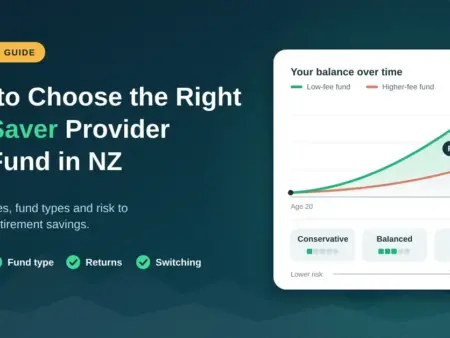
Your fund type affects your long-run balance more than almost any other single choice, because it sets the return the calculator compounds year after year. Funds are grouped by how much they hold in “growth assets” such as shares and property versus “income assets” such as cash and bonds — more growth assets means higher expected returns but bigger ups and downs along the way. As a rule of thumb, the further you are from needing the money, the more short-term volatility you can ride out in exchange for a higher expected return.
Fund types by time horizon
| Fund type | Typical time horizon | Growth assets (shares/property) | What to expect |
|---|---|---|---|
| Defensive | 0–3 years | Around 0–10% | Lowest expected return, smallest ups and downs; built to protect capital. |
| Conservative | 1–5 years | Around 10–35% | Modest returns with limited volatility; suits money needed soon. |
| Balanced | 5–10 years | Around 35–63% | A middle path — moderate growth with moderate swings. |
| Growth | 10+ years | Around 63–90% | Higher expected return over time, with larger short-term falls. |
| Aggressive | 10+ years | Around 90–100% | Highest expected long-run return and the biggest volatility; for long horizons and steady nerves. |
These are guidelines, not rules — your own comfort with risk matters too. If a market dip would tempt you to switch to cash at the worst moment, a slightly more conservative fund you can actually stick with may serve you better than an aggressive one you’d bail out of. For a deeper look at choosing, see our guide to choosing the right KiwiSaver fund and provider, and Sorted’s independent investing guides (sorted.org.nz).
Capturing the full government contribution
The annual government contribution is one of the most reliable returns any member gets — effectively free money for saving — but the rules changed on 1 July 2025, so it’s worth confirming you’re still capturing it. To receive the full $260.72, you need to contribute at least $1,042.86 of your own money between 1 July and 30 June each year. If you contribute less, you still earn 25 cents per dollar up to that cap; if you earn over $180,000, you’re no longer eligible. Employees usually reach the threshold automatically through payroll, but if you’re self-employed, on parental leave or contributing little from wages, a voluntary top-up before 30 June can be the difference between the full top-up and only part of it. The change also now includes 16- and 17-year-olds, who became eligible for the government contribution from 1 July 2025.
Is your KiwiSaver protected?
A common point of confusion worth clearing up before you rely on any projection: KiwiSaver is an investment, not a bank deposit. New Zealand’s Depositor Compensation Scheme — run by the Reserve Bank (rbnz.govt.nz) and live since 1 July 2025 — protects eligible bank deposits up to $100,000 per depositor if a licensed bank fails, but it does not cover KiwiSaver or other managed investment schemes. Your KiwiSaver balance can rise and fall with markets, which is exactly why fund choice and time horizon matter. That’s a feature, not a flaw, over a long savings life — but it’s the reason a calculator deals in assumed returns rather than guaranteed ones.
Withdrawals — and how they change your projection
Your KiwiSaver isn’t locked away forever, but access is deliberately restricted to retirement, a first home, serious financial hardship, serious illness and a few other situations. Rather than repeat the detail here, our dedicated guides cover it properly: the full set of rules and paperwork is in our KiwiSaver withdrawal guide, and if you’re facing genuine difficulty, our KiwiSaver hardship guide explains the (deliberately high) bar and the process.
For the calculator specifically, the key point is this: if you’re planning a first-home withdrawal, run your projection both with and without it. People are often surprised how much a withdrawal at 30 reduces the balance at 65 — not just by the amount taken, but by decades of compounding on that money. That’s not a reason to avoid it, since home ownership builds wealth too, but it’s worth seeing the full picture before you decide.
Reviewing your KiwiSaver each year
A projection is a snapshot, so revisit it. Set an annual reminder — around 30 June, when the government-contribution year ends — to check your balance and projection, confirm you’re still in the right fund for your life stage, compare your provider’s fees and returns against others, and make sure your contribution rate still fits your income and goals. Remember you’re not locked in: switching providers takes a few minutes online, your balance transfers across (usually within a few weeks), and your employer contributions continue uninterrupted while it happens.
Common mistakes to avoid
- Taking the headline number as a promise. It’s a projection built on assumptions, not a guarantee — use it to compare, not to count on.
- Ignoring fees. A return quoted gross of fees flatters the result; always check and subtract.
- Leaving an outdated default fund. Many people auto-enrolled into a conservative default fund years ago and never reviewed it, quietly giving up return they didn’t need to.
- Missing the government contribution. Contributing under $1,042.86 in the year, or not topping up when self-employed, leaves money on the table.
- Setting the wrong PIR. An incorrect Prescribed Investor Rate means you over- or under-pay tax on your returns.
Your action plan
Whether you’re 22 and starting out, 45 and wondering if you’re on track, or 60 and finalising your plan, the steps are the same: run the numbers with a reputable tool such as the independent Sorted calculator (sorted.org.nz), which is run by Te Ara Ahunga Ora Retirement Commission; check your fund type against your timeframe; review your contribution rate; and make sure you’re capturing the full government contribution each year. You can also compare licensed providers on the FMA’s website (fma.govt.nz), and if you want a very low-fee option, check a provider’s current charges before you move — for example on Sharesies’ pricing page (sharesies.nz/pricing). Then see how KiwiSaver fits with your wider retirement income, including NZ Super and the rest of your plan in our retirement planning guide, and read the KiwiSaver overview for the bigger picture. Small, consistent decisions today compound into very large differences at retirement.
Disclaimer: This article is general information about KiwiSaver calculators and projections. It is not financial advice and not a recommendation about any fund, provider or contribution decision. Projections rely on assumptions that won’t match reality exactly, and figures such as the government contribution, income cap and default contribution rates change over time — the details here reflect the settings announced for 2025 and 2026 and should be confirmed with official sources before you rely on them. For free, independent guidance you can reach the Retirement Commission through Sorted, and for help comparing licensed providers see the Financial Markets Authority, both linked above.
Sources
- Inland Revenue — KiwiSaver changes (contribution rates, government contribution, income cap)
- Beehive — KiwiSaver changes to encourage savings (Budget 2025)
- Financial Markets Authority — KiwiSaver for consumers
- Sorted (Te Ara Ahunga Ora Retirement Commission) — KiwiSaver guides
- Reserve Bank of NZ — what the Depositor Compensation Scheme covers
Frequently asked questions
How accurate is a KiwiSaver calculator?
It gives a useful projection, not a guarantee. The result depends on assumed returns, inflation and contributions that may differ from reality, so use a calculator to compare scenarios and see the direction of travel rather than as a precise prediction. Reputable tools such as Sorted’s use conservative, evidence-based assumptions, which makes them a sensible starting point.
What’s the minimum I need to contribute for the full government contribution?
At least $1,042.86 of your own money between 1 July and 30 June, which earns the maximum government contribution of $260.72 — that is 25 cents for every dollar you put in, up to the cap. Contribute less and you still receive 25 cents per dollar on what you do put in. People earning more than $180,000 a year are no longer eligible.
Should I check whether the calculator’s return is before or after fees?
Yes — it’s one of the most important checks. If the assumed return is gross of fees, subtract your fund’s annual management fee to get a realistic picture, because over several decades even a 0.5% difference in fees can cost tens of thousands of dollars in final balance.
Which fund type should I use in the calculator?
As a rough guide: growth or aggressive if you’re more than 10 years from needing the money, balanced at around five to ten years, and conservative or defensive within about five years of retirement or a first-home withdrawal. Your own comfort with short-term ups and downs matters too, since the best fund is one you can stay invested in through a downturn.
Does switching KiwiSaver providers affect my balance?
No. Your funds transfer to the new provider, usually within a few weeks, and your employer contributions continue. It’s still worth checking the new provider’s fees, fund options and track record before you switch — the FMA’s KiwiSaver Tracker and Sorted make that comparison straightforward.
No comments to show.
Best Brokers

Get approved fast with Finance Now. Personal loans, car finance & retail purchases – made easy for everyday Kiwis.

Shop now, pay later with Farmers Finance. Flexible payment options at Farmers stores across NZ – online and in-store.